Lab 2: IMU
Lab 2: IMU
Setup
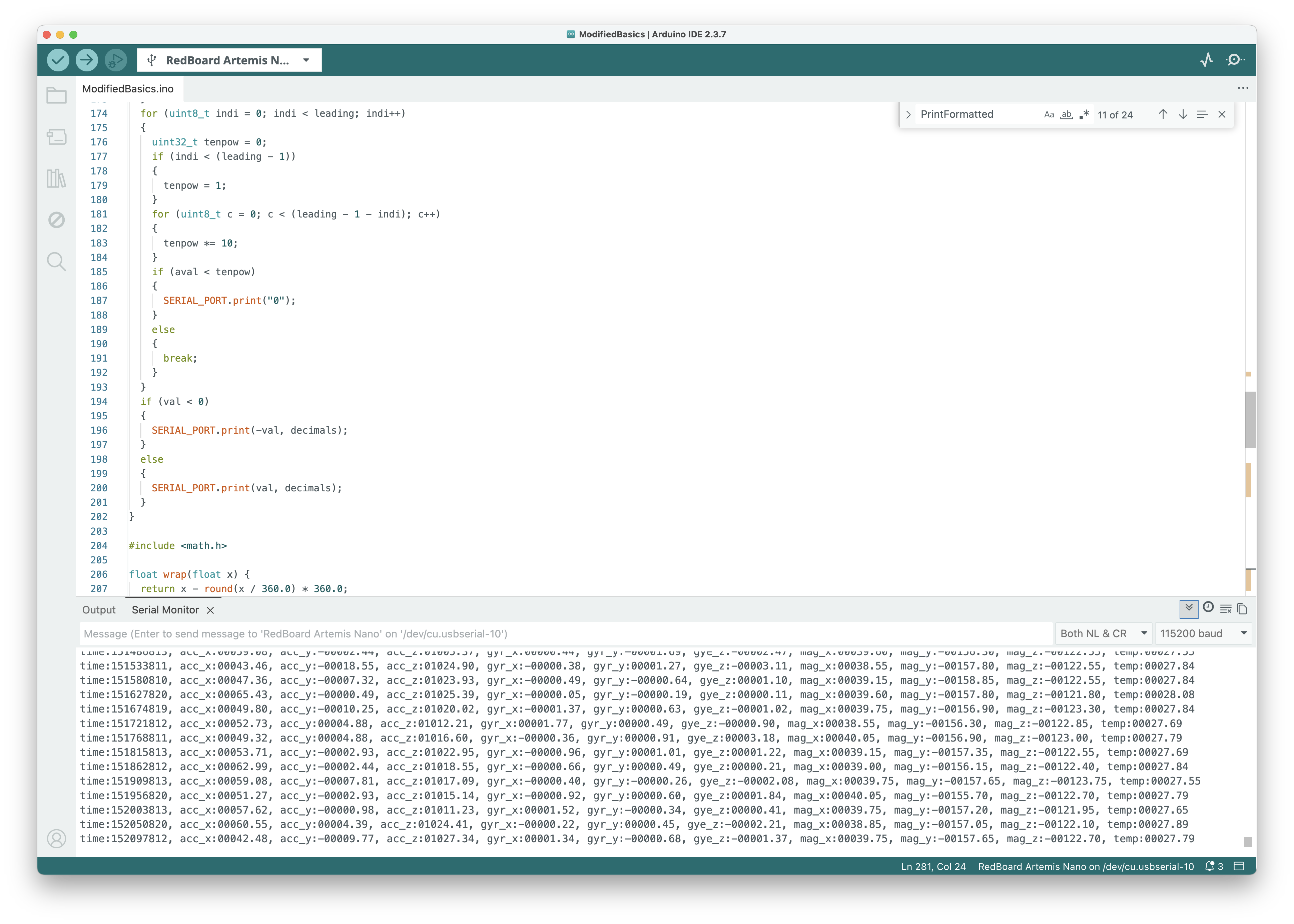
I connected the ICM-20948 IMU to the Artemis Nano over I2C (QWIIC connector). After running the IMU example code, the serial monitor shows accelerometer, gyroscope, and magnetometer data streaming in real time:
Accelerometer
Pitch and Roll from Accelerometer
Using the accelerometer’s gravity vector, pitch and roll can be computed with:
\[\theta_\text{pitch} = \arctan\left(\frac{a_x}{\sqrt{a_y^2 + a_z^2}}\right)\] \[\phi_\text{roll} = \arctan\left(\frac{a_y}{\sqrt{a_x^2 + a_z^2}}\right)\]These use the two-axis formulas to avoid the singularity issues of the simpler atan2(a_x, a_z) approach.
Raw Accelerometer Data
Here is the raw accelerometer data captured over Bluetooth while driving the robot back and forth:
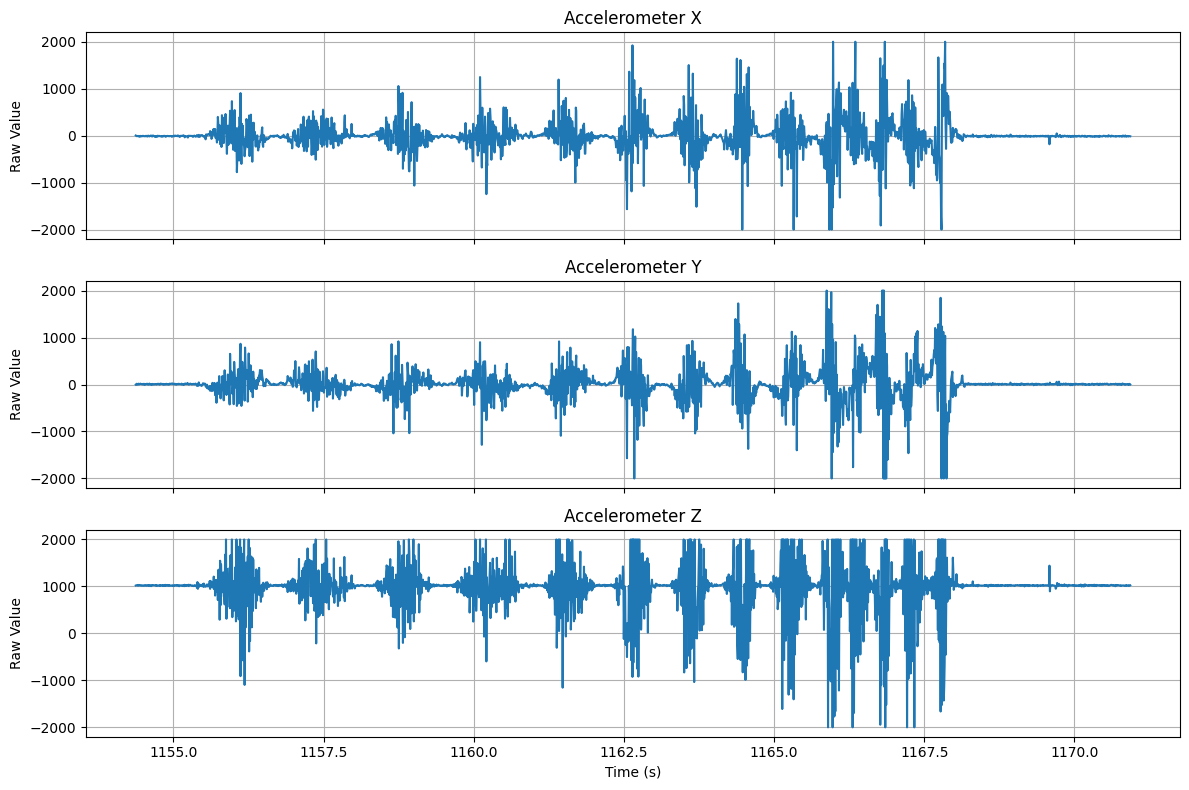
The Z axis hovers around ~1000 mg (from gravity) while the robot is flat. The X and Y axes show large excursions when the robot is accelerating, turning, or running into obstacles.
Frequency Spectrum
The FFT of the raw accelerometer data (sampling rate ≈ 132 Hz):
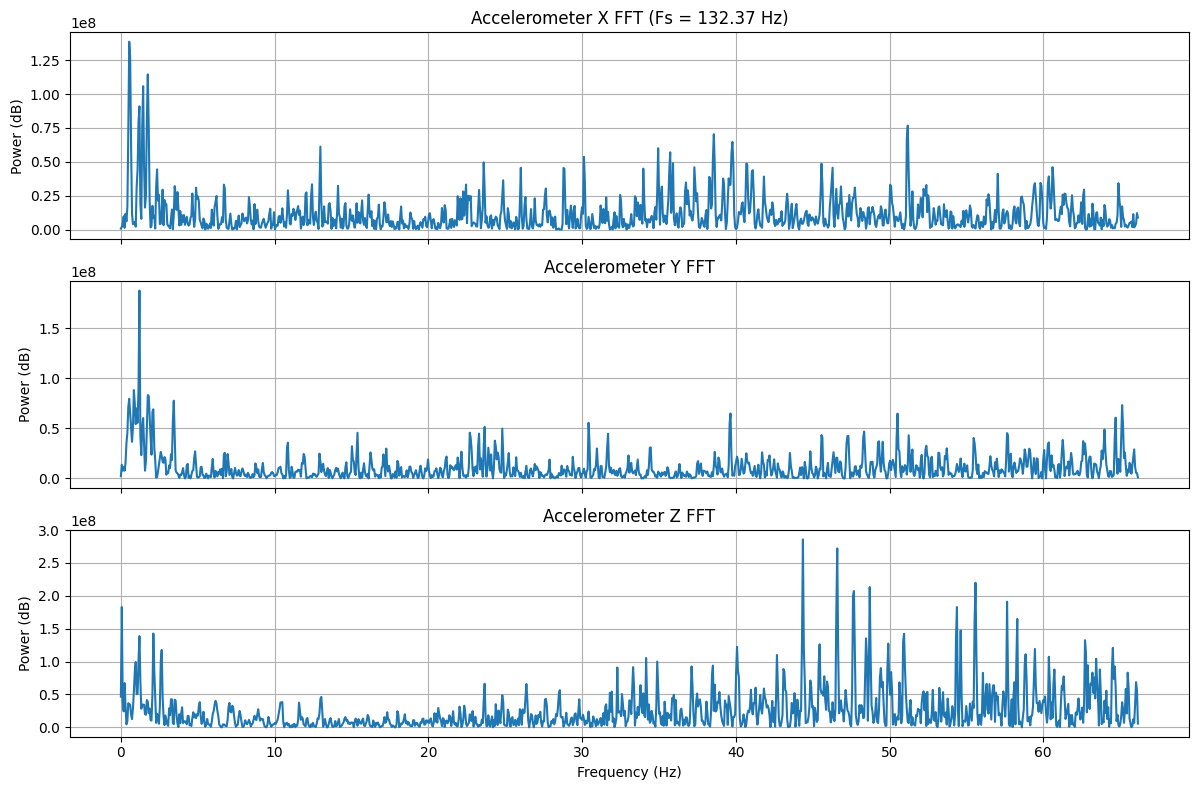
The spectrum shows energy across the full bandwidth, however most of the useful signal below ~5 Hz and there is considerable noise at higher frequencies. This provides reason to apply a low-pass filter to the accelerometer data.
Low-Pass Filter
Implementation
I implemented a simple low-pass filter on the accelerometer data directly on the Artemis with α = 0.2:
const float alpha = 0.2;

lp_accX += alpha * (raw_accX - lp_accX);
lp_accY += alpha * (raw_accY - lp_accY);
lp_accZ += alpha * (raw_accZ - lp_accZ);
This corresponds to a cutoff frequency of approximately:
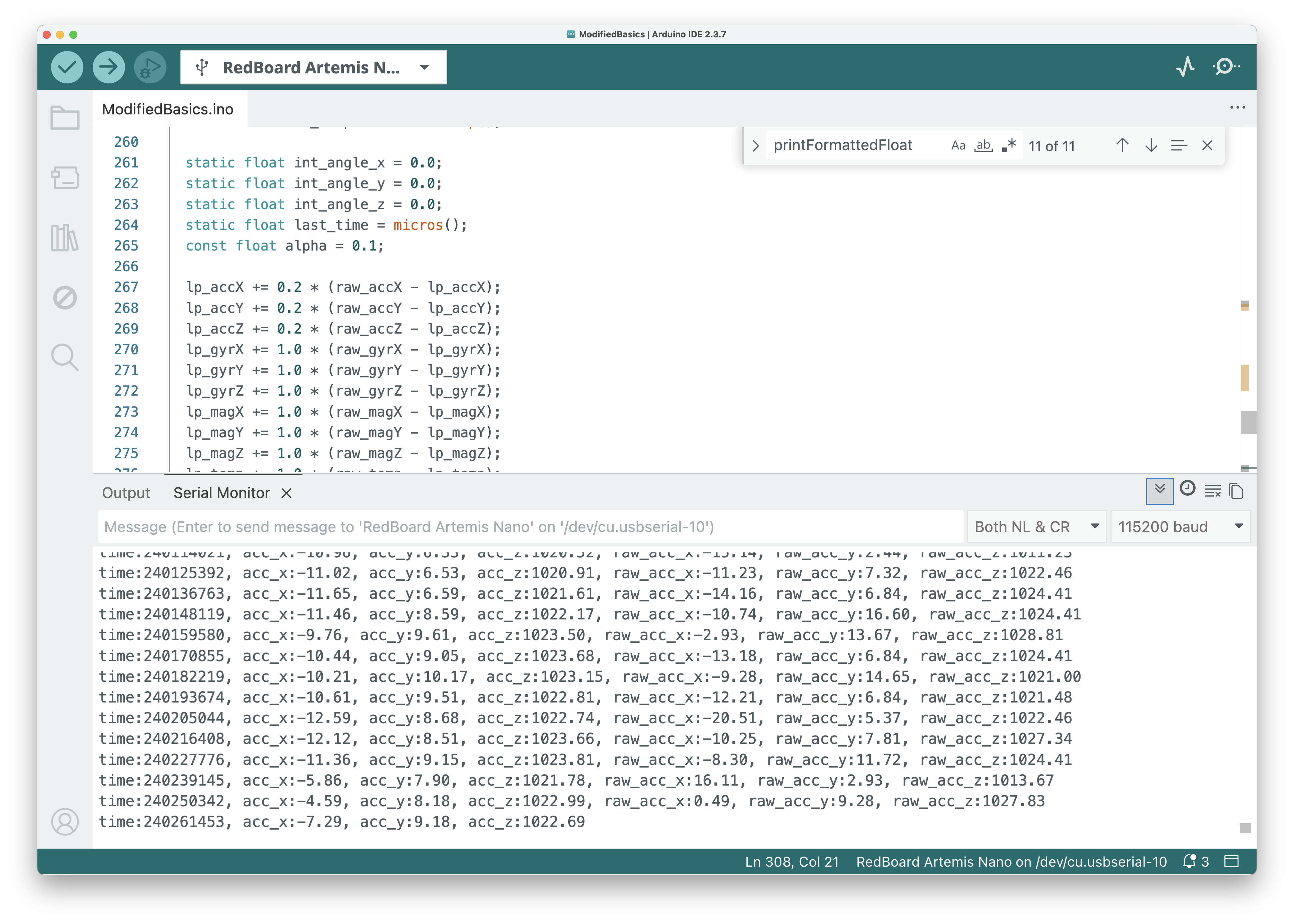
\[f_c = \frac{\alpha \cdot f_s}{2\pi(1 - \alpha)} \approx \frac{0.2 \times 86}{2\pi \times 0.8} \approx 3.4\,\text{Hz}\]Here is the filtered code running on the Artemis, showing both the filtered and raw values in the serial monitor:
Filtered vs Raw Data
The filtered (orange) vs raw (blue) accelerometer data over ~25 seconds:
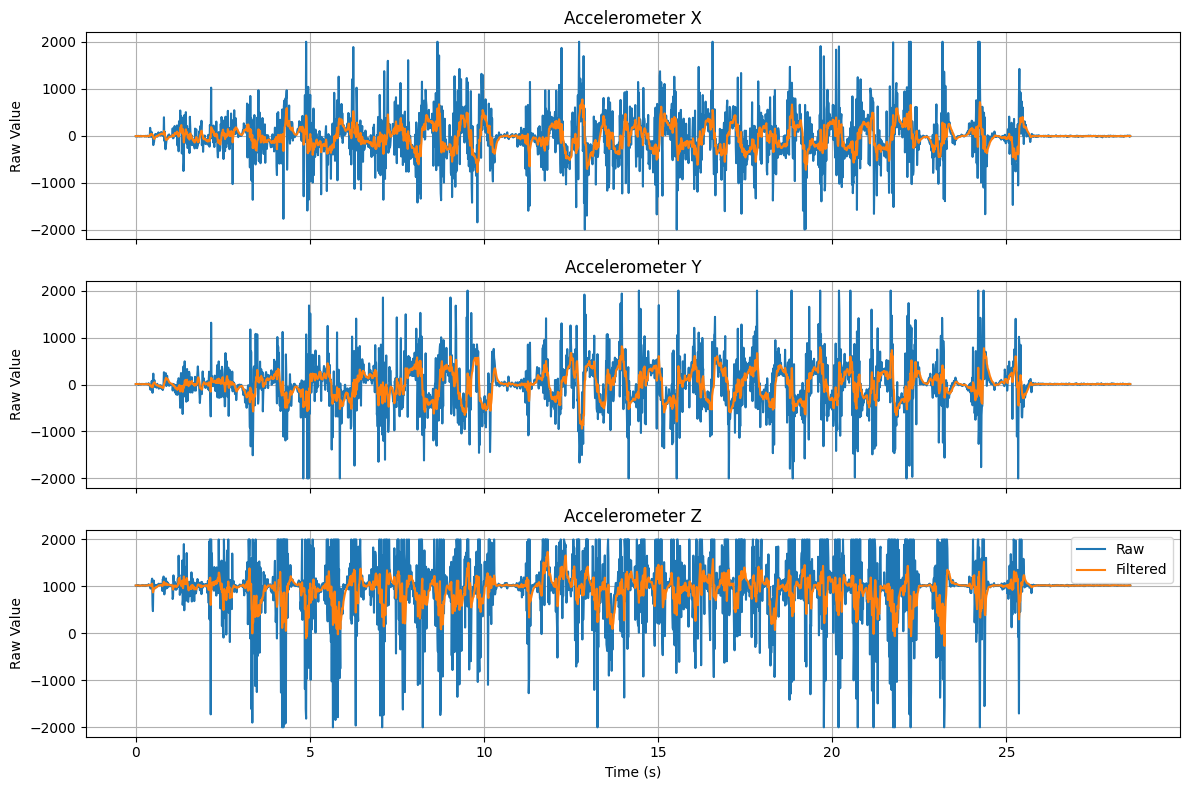
The filtered signal has significantly smoother motion compared to the raw signal. Some of the larger scale motion is still included in the filtered signal, but the high-frequency noise is removed.
Frequency Response Comparison
In order to evaluate if the low pass filter is correctly implemented, I compared the frequency response of the raw and filtered accelerometer data:
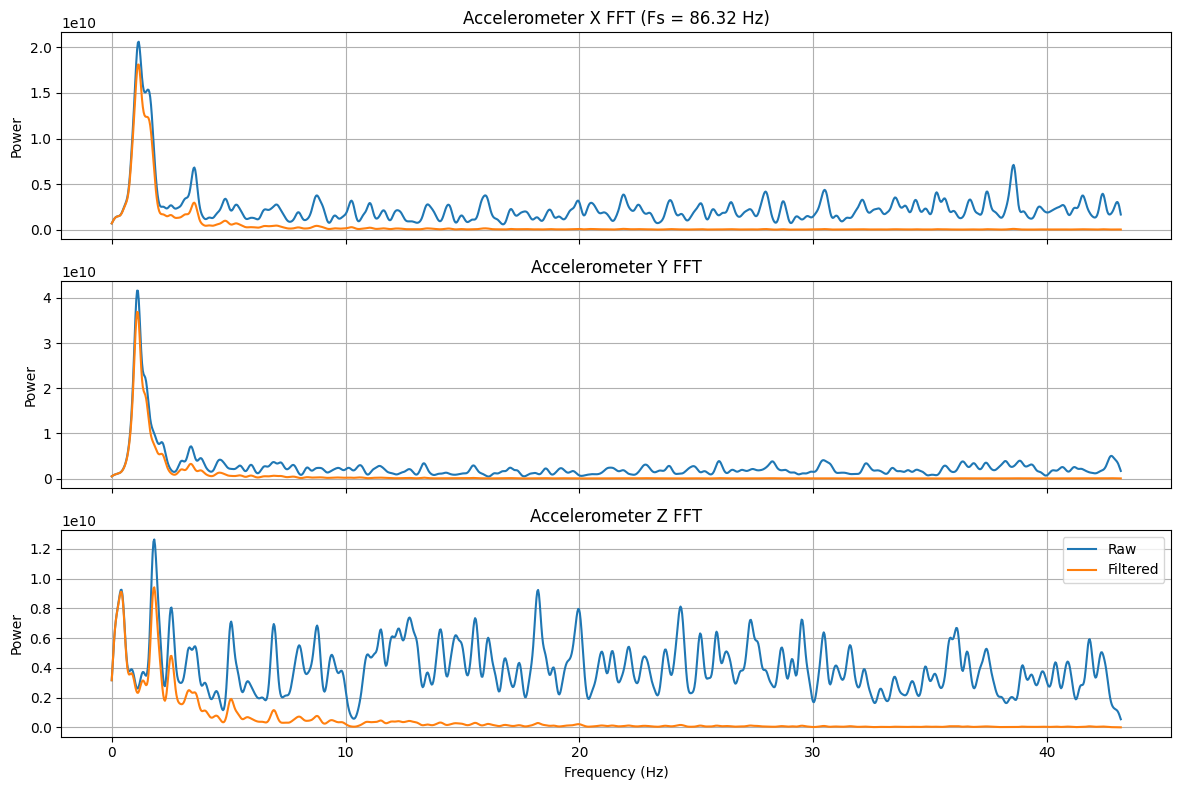
The raw signal (blue) has noise spread across the entire spectrum, while the filtered signal concentrates power below 5 Hz as desired.
Gyroscope
Pitch, Roll, and Yaw from Gyroscope
The gyroscope measures angular velocity, so pitch, roll, and yaw angles are computed by integration:
\[\theta(t) = \theta(t-1) + \dot{\theta} \cdot \Delta t\]where $\dot{\theta}$ is the gyroscope reading in degrees per second and $\Delta t$ is the time step.
static float int_angle_x = 0.0;
static float int_angle_y = 0.0;
static float int_angle_z = 0.0;
static float last_time = micros();

float dt = (micros() - last_time) / 1e6;
last_time = micros();

int_angle_x += myICM.gyrX() * dt;
int_angle_y += myICM.gyrY() * dt;
int_angle_z += myICM.gyrZ() * dt;
Complementary Filter
A complementary filter fuses the accelerometer (low-frequency) and gyroscope (high-frequency) estimates:
\[\theta = (1 - \alpha) \cdot (\theta_\text{prev} + \dot{\theta}_\text{gyro} \cdot \Delta t) + \alpha \cdot \theta_\text{accel}\]With a small α (e.g., 0.02–0.1), the filter trusts the gyroscope for fast changes and uses the accelerometer to correct drift over time.
Sample Data
Fast Sampling
The main loop runs as fast as possible, reading the IMU whenever new data is available:
void loop() {
    BLEDevice central = BLE.central();
    if (central) {
        while (central.connected()) {
            read_imu();
            write_data();
            read_data();
        }
    }
}
The read_imu() function pushes all 9 axes of data (accelerometer, gyroscope, magnetometer) plus a timestamp into circular buffers:
void read_imu() {
    const int time = micros();
    if (myICM.dataReady()) {
        myICM.getAGMT();
        imu_times.push(time);
        imu_acc_x.push(myICM.accX());
        // ...
    }
}
Circular Buffer
I wrote a templated CircularBuffer class that uses a power-of-two size with bitmask indexing for efficient push/pop:
template<class T, int Size>
struct CircularBuffer {
    constexpr static int Mask = Size - 1;
    T data[Size] = { 0 };
    int head = 0;
    int tail = 0;

    void push(const T& value) {
        data[head] = value;
        head = (head + 1) & Mask;
        if (head == tail) {
            tail = (tail + 1) & Mask;
        }
    }

    bool pop(T& value) {
        if (head == tail) return false;
        value = data[tail];
        tail = (tail + 1) & Mask;
        return true;
    }
};
Each buffer holds 256 entries (0x100). With 10 buffers (time + 9 axes), that’s 10 × 256 × 4 bytes = 10 KB of RAM, well within the Artemis’s 384 KB.
Data Window
The firmware keeps only the most recent 5 seconds of data by trimming old entries based on the timestamp:
const int threshold = time - 5000000; // 5 seconds in microseconds
while (!imu_times.is_empty() && imu_times.top() > threshold) {
    imu_times.pop();
    imu_acc_x.pop();
    // ... pop all buffers
}
At the observed sampling rate of ~86–132 Hz, 5 seconds of data easily fits within the 256-entry buffer.
Record a Stunt
Conclusion
I integrated the ICM-20948 IMU with the Artemis and can stream accelerometer, gyroscope, and magnetometer data over BLE. The raw accelerometer data is noisy, but a simple LPF with α=0.2 effectively removes high-frequency noise while preserving the motion signal. The remaining work is to implement and tune the complementary filter, which combines the drift-free accelerometer with the responsive gyroscope for robust angle estimates.